
Apple Intelligence Just Got a Major Upgrade — And It Goes Way Beyond Siri
When most people think about Apple's AI ambitions, Siri is the first thing that comes to mind. But Apple's WWDC26 keynote made one thing crystal clear: Apple Intelligence is a much bigger, deeper, and more capable system than any single assistant. While Siri's revamp certainly grabbed headlines, the real story lies in the constellation of powerful new AI-driven features that Apple quietly wove into iOS, iPadOS, and macOS this year.
Whether you're a productivity power user, a creative professional, or just someone who wants their iPhone to feel genuinely smarter, there is something in Apple's latest AI rollout for you. Here's a closer look at 15 new Apple Intelligence features announced at WWDC26 that you should start exploring right now.
Writing and Communication Tools
1. Writing Tools 2.0
Apple's Writing Tools have been significantly upgraded. You can now rewrite, summarize, proofread, and completely restructure long-form text with far greater context awareness. The new model understands tone, audience, and intent far better than its predecessor, making it genuinely useful for everything from emails to essays.
2. Smart Reply Suggestions Across All Apps
Apple Intelligence now surfaces context-aware reply suggestions not just in Mail, but across Messages, third-party email clients, and even social media apps that have integrated the system. Replies are tailored to the tone of the conversation, so a casual text gets a casual suggestion, while a formal business email gets a professional one.
3. Intelligent Summarization in Mail and Notes
Long email threads and sprawling meeting notes can now be condensed into crisp, accurate summaries with a single tap. The summaries are more structured than before — Apple Intelligence now groups key action items, decisions, and follow-up questions separately, so you can act on information faster.
4. Multilingual Writing Assistance
One of the biggest accessibility leaps in this update is truly multilingual writing assistance. Apple Intelligence can now help you draft, edit, and polish content across multiple languages within the same document — useful for bilingual professionals and global teams working in mixed-language environments.
Creative and Visual Intelligence
5. Image Playground Expansion
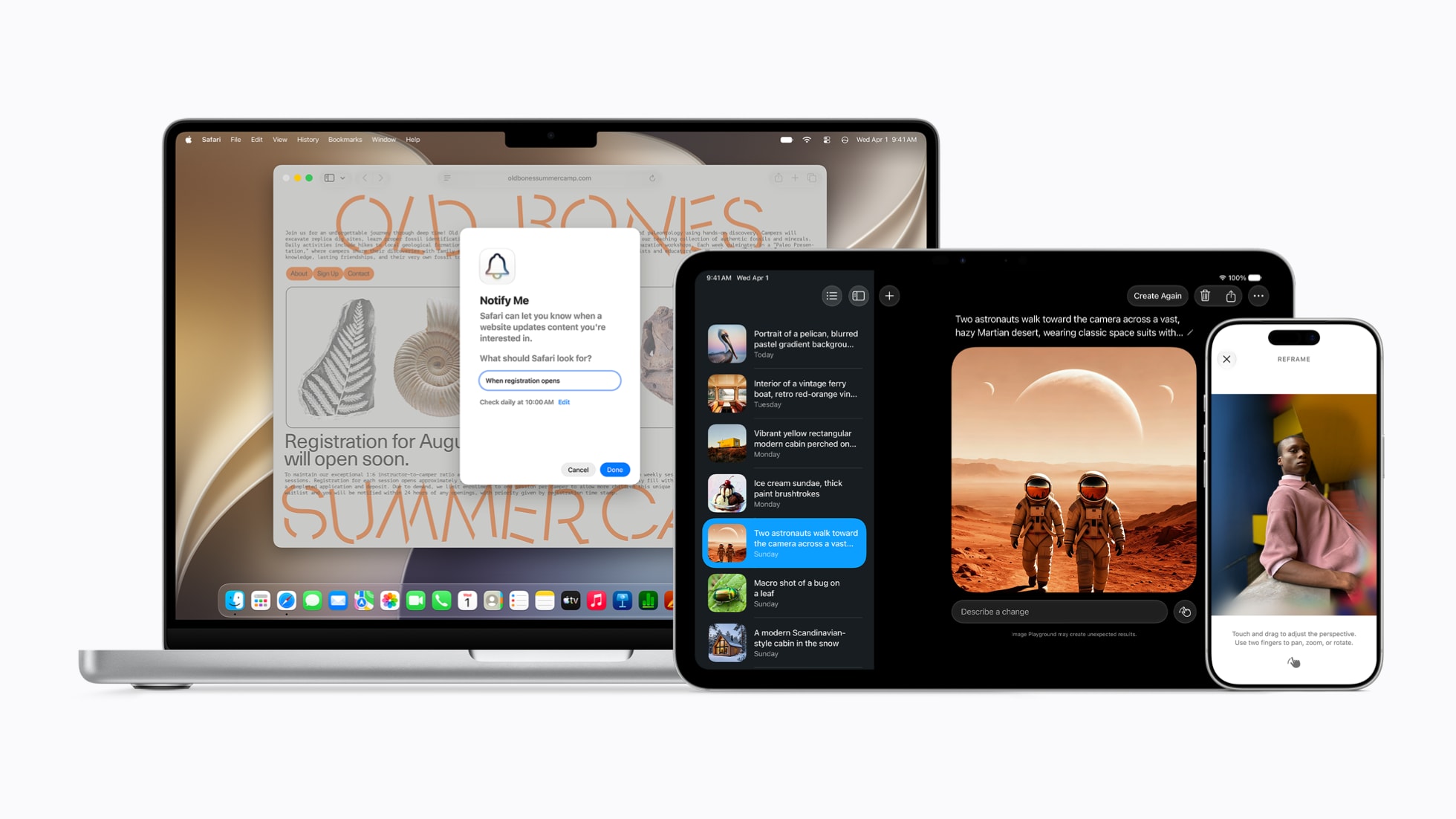
Image Playground, Apple's built-in AI image generator, now supports a much wider range of artistic styles, including photorealistic rendering. You can generate images directly inside Messages, Notes, Keynote, and Pages, and the new "Guided Prompting" feature helps users who aren't sure what to type get to great results faster.
6. AI-Powered Photo Cleanup and Relight
Clean Up in the Photos app has been upgraded substantially. Beyond removing objects, you can now use Apple Intelligence to relight a portrait, adjust background depth, and even intelligently extend the edges of a cropped photo — a feature that competes directly with tools previously found only in professional desktop software.
7. Memory Movies with Narrative Structure
The Memories feature in Photos now uses Apple Intelligence to build short-form video stories with genuine narrative arcs — an opening moment, a middle, and a closing emotional beat. You can describe the kind of memory movie you want in natural language and the system will find the right photos, videos, and music to match.
8. Genmoji Everywhere
Genmoji, introduced as a concept in earlier Apple Intelligence versions, is now deeply integrated across the entire operating system. You can use generated emoji in any app that supports emoji, export them as stickers, and even use your own face or a friend's likeness as the basis for a new Genmoji.
Productivity and Personal Context
9. Personal Context Awareness Across Apps
Apple Intelligence now maintains a richer understanding of your personal context — your schedule, recent communications, location habits, and ongoing projects — and uses it to surface genuinely proactive suggestions throughout your day. This happens entirely on-device, with Apple continuing its strong emphasis on privacy.
10. Priority Notifications with Smarter Filtering
The notification system has been overhauled. Apple Intelligence now ranks notifications by urgency and personal relevance, grouping low-priority alerts and surfacing only the ones that actually need your attention. You can also ask Siri to summarize everything you missed while your phone was on Do Not Disturb.
11. Focus Filters Enhanced by AI
Focus modes have been supercharged with AI-driven customization. Apple Intelligence can now automatically suggest new Focus filters based on your behavior patterns and even enable or disable Focus modes proactively based on your calendar, location, or detected activity.
12. Intelligent Document Scanning and Understanding
Point your camera at any document — a receipt, contract, menu, or whiteboard — and Apple Intelligence will not only scan it but parse its meaning. You can ask questions about the document's contents, extract key data like dates and totals, and add items to your calendar or reminders automatically.
Developer and System-Level Upgrades
13. App Intents and On-Device Actions
Apple has dramatically expanded what third-party developers can do with Apple Intelligence through improved App Intents APIs. Users can now invoke AI-powered actions inside any compatible app using natural language, without ever leaving the app or opening Siri.
14. Private Cloud Compute Transparency
For tasks that require off-device processing, Apple's Private Cloud Compute infrastructure now comes with a new transparency dashboard, letting users see exactly which requests were processed locally versus in the cloud — a meaningful privacy feature for security-conscious users and enterprises.
15. Apple Intelligence in Xcode and Productivity Suites
Developers using Xcode now have access to a deeply integrated Apple Intelligence coding assistant that understands Apple's own frameworks, suggests Swift and SwiftUI code completions, and can explain complex system behaviors in plain language. Meanwhile, Pages, Numbers, and Keynote all received dedicated AI sidebars with context-sensitive assistance.
The Bottom Line
Apple Intelligence in 2026 is no longer just a buzzword or a collection of fragmented features — it's a deeply woven layer of intelligence running through the entire Apple ecosystem. From the way you write an email to the way you relive a cherished memory, AI is now quietly doing heavy lifting across every corner of your Apple devices.
The best part? Most of these features work offline, on-device, and with the privacy protections Apple users have come to expect. If you haven't dug into Apple Intelligence yet, now is the perfect time to start — there's far more to explore than any single headline can capture.